
Separate advertising obligations from publishing rules
The Real Estate Council of Ontario, or RECO, regulates real estate professionals in Ontario. Its expectations concerning truthful, non-misleading advertising are the starting point: a prospective buyer should not be led to believe the property has features, finishes or conditions that it does not actually have.
That principle is different from a board’s instructions for uploading images to the MLS. Your brokerage and board may have specific directions about photo labels, remarks, original images and permitted edits. Do not assume one board’s procedure applies across Ontario or that a platform’s upload acceptance means the advertising is compliant.
Use the workflow below as a conservative publishing practice, not as a quotation of a universal Ontario labelling rule. Consult the disclosure rules guide for context, then have your brokerage confirm the current requirements for your listing and distribution channels.
Decide whether the edit changes the property
The useful distinction is between showing movable furnishings and changing what a buyer is purchasing. Adding a sofa to an empty living room can help explain its use. Replacing worn flooring with pristine flooring presents a different condition. A disclosure label does not automatically make that second image appropriate for a listing.
| Edit | Practical treatment |
|---|---|
| Add a sofa, rug or dining table | Label; check scale and room geometry. |
| Remove loose belongings | Disclose editing; preserve visible condition. |
| Replace floors or cabinetry | Do not present as the existing property. |
| Remove a stain or wall crack | Reject the edit; it conceals condition. |
| Change a window view | Reject the edit; it misrepresents surroundings. |
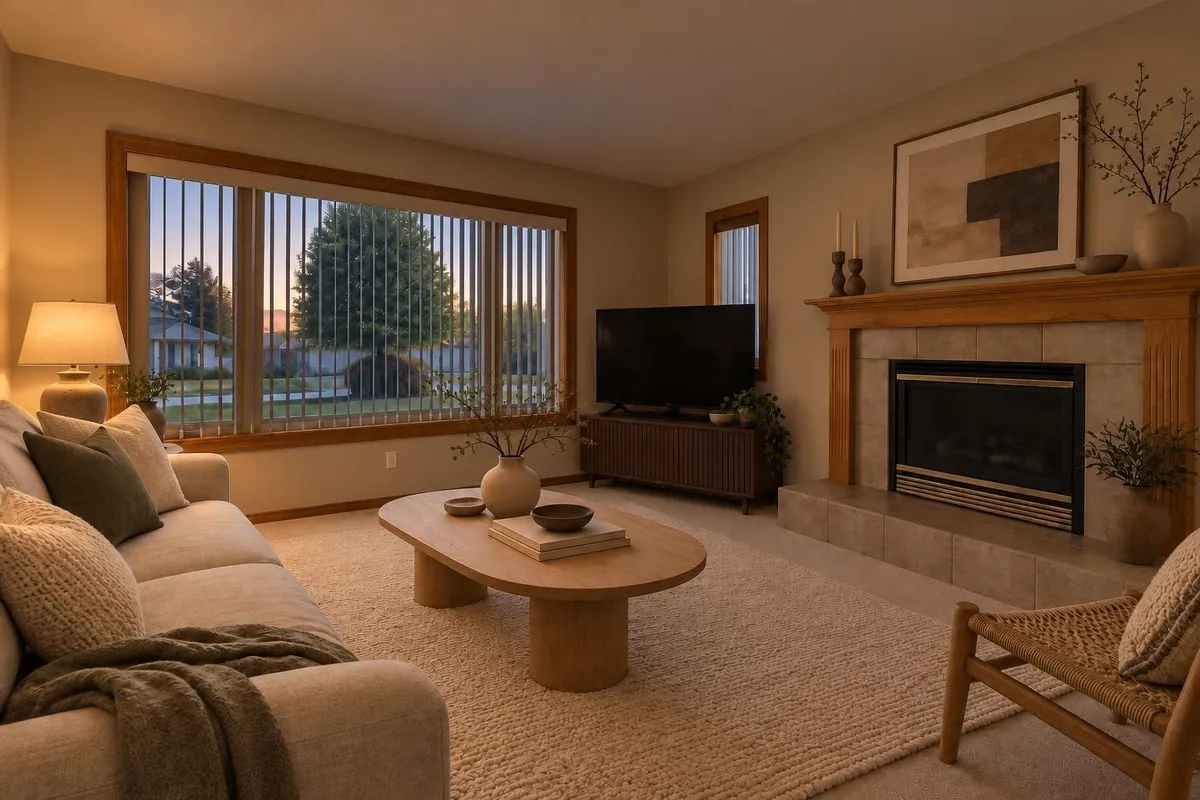
| Convert daylight to twilight | Identify the alteration; verify exterior details. |
Watch for indirect changes too. A generated armchair may hide a damaged baseboard, or an oversized rug may conceal worn flooring. Ask whether the furniture explains the room or prevents a buyer from seeing something important. When uncertain, use the unedited photograph instead.
Label every edited image where buyers see it
A clear label on each altered image is a sound default because photos travel separately. A buyer may see a saved image, a social post or a gallery thumbnail without ever reading the listing remarks. Do not rely on the first gallery image to explain all the others.
- Use plain wording such as “Virtually staged” for added digital furnishings.
- For decluttering or twilight edits, use wording that accurately describes the alteration, subject to your board’s instructions.
- Place the label where it remains readable without covering a property feature.
- Check the final thumbnail and mobile crop; a label outside the crop does not inform that viewer.
- Keep the disclosure when reusing the image in social posts, brochures and other advertising.
Listing remarks can add useful detail: “Living room and bedroom photos are virtually staged with digital furnishings. Original photos are available.” Use this only when it accurately describes the images and access you provide. Confirm the wording and the appropriate remarks field with your brokerage and board.
A label is disclosure, not permission to hide defects or invent property features.
Keep originals available and easy to match
Save the untouched source photo before making any edits. Keep a clear connection between each original and its staged version, using room names and matching filenames in your working folder. The goal is to answer “What does this room actually look like?” without searching through an unrelated photo set.
Ask your board whether originals should appear beside edited images, elsewhere in the gallery or through another approved method. Where links are permitted, test access without being signed in. A private project link or an expired sharing link is not useful to a prospective buyer.
If you use Renderlii, its listing workflow includes labelled edited photos, a before-and-after, a public page holding the original, and disclosure text for listing remarks. Those features support the recordkeeping process; they do not replace your review or board instructions. The virtual staging page explains the listing-photo workflow.
Review a staged room against the source photo
Suppose you are listing a vacant Ontario condo. You add a sofa, coffee table and rug to the living room. The result looks plausible, but plausibility alone is not enough: compare the original and edit side by side before approving it.
- Check the fixed featuresTrace the walls, windows, doors, ceiling, flooring, outlets, radiators and permanent fixtures. Reject an image that moves, replaces or removes them.
- Check scale and useMake sure furnishings do not imply more space than exists. Do not describe a room as fitting a particular bed or dining setup based only on a generated image; verify actual dimensions.
- Check condition and surroundingsLook for erased scratches, improved flooring, missing stains and changed views. Pay particular attention to areas under added furniture and near windows.
- Check disclosure and accessRead the label at the size buyers will see. Confirm that the remarks describe the actual edits and that the corresponding original can be accessed through the approved method.
If the rug hides a damaged floor area, change the furnishing arrangement or publish the original. Do not try to solve a misleading image by adding a longer disclaimer.
Close the loop before and after publication
Send the brokerage reviewer the originals, final edits, proposed labels and remarks together. Ask specific questions rather than simply asking whether virtual staging is allowed. Keep the review and approved files with the listing records under your brokerage’s retention practices.
- Which edits does our board permit for this listing?
- What label wording and placement should we use?
- Where must the originals and explanatory remarks appear?
- Are links allowed in that field or gallery?
- Who will check the published MLS entry and downstream advertising?
After publication, inspect the live listing and your own advertising. Cropping, photo ordering and syndication can separate an image from its explanation. Correct missing labels or inaccessible originals promptly, and follow your brokerage’s process if a misleading version has already circulated.
Questions
Does Ontario require a specific virtual staging label?
Do not assume one exact phrase or placement applies across Ontario. RECO’s general advertising expectations concern misleading representations; confirm the current image and disclosure instructions with your brokerage and board.
Is disclosure in the listing remarks enough?
Do not rely on remarks alone. Label each altered image as a practical safeguard, because photos are often viewed separately. Your board may also specify additional disclosure or original-photo placement.
Can I digitally remove clutter from an occupied home?
Treat it as an image alteration and confirm your board’s approach. Preserve the property’s actual condition, fixed features and views. Removing belongings must not conceal damage or suggest that a permanent feature is absent.
Do I need to keep the unstaged photos?
Keep the untouched originals and make them available through the method your brokerage and board approve. Retain matching final versions and review records according to your brokerage’s recordkeeping practices.
 Choosing Paint Colours for a North-Facing Room