One room, restyled
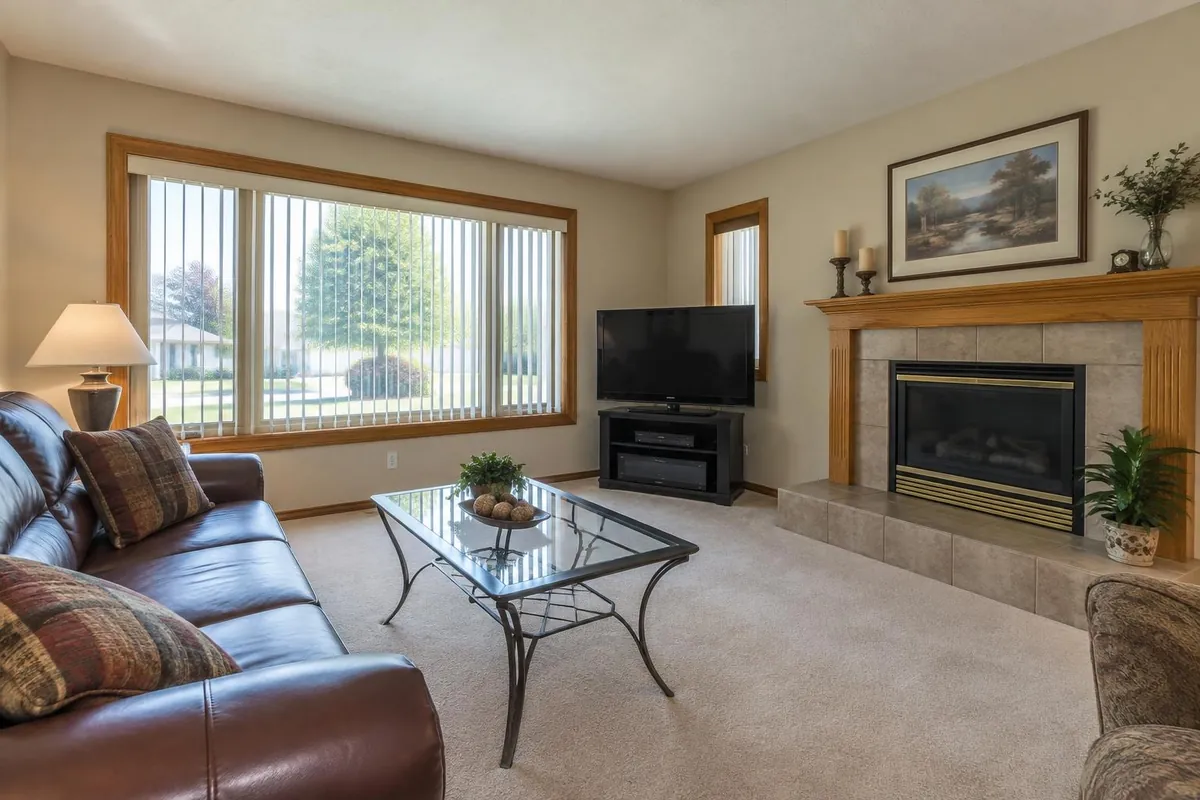
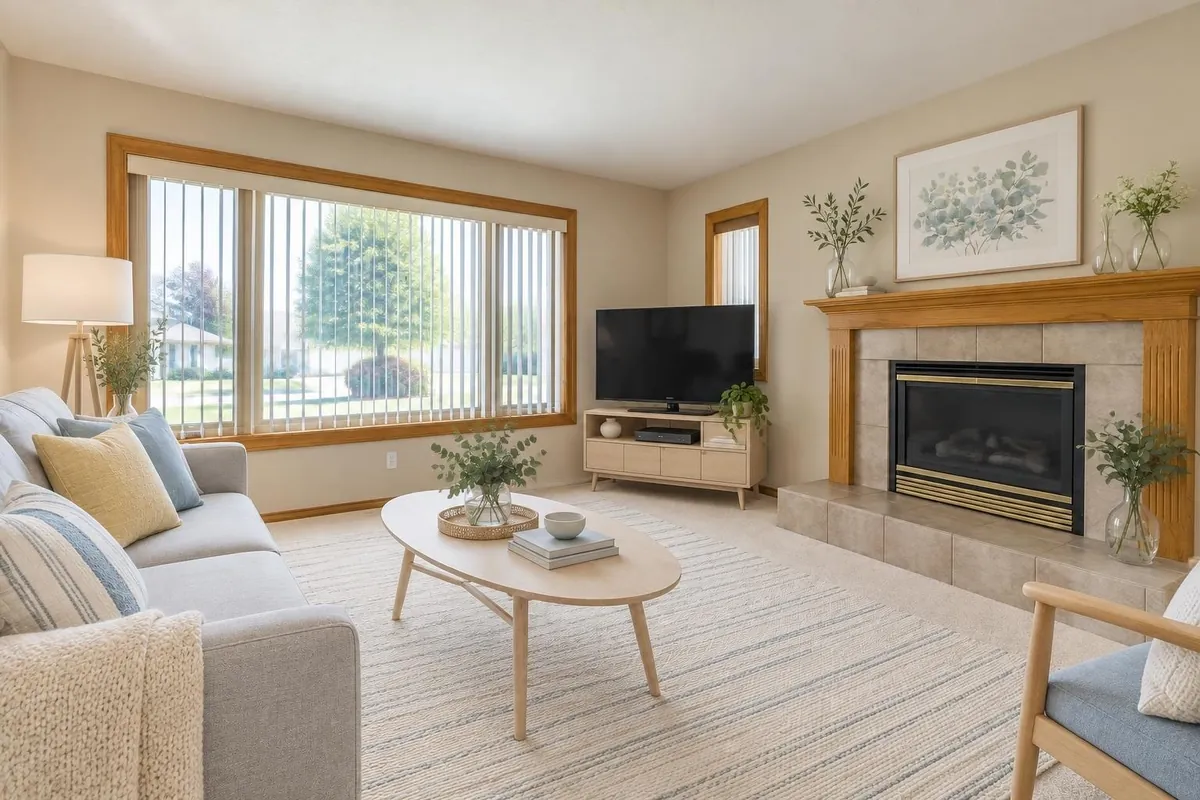
How it works
- Upload a photoA phone photo is enough: JPG, PNG, WebP or HEIC up to 20 MB. Take it from a corner, at standing height, with the lights as you usually have them.
- Tap a few answersThe assistant offers choices to tap, such as a style, a colour palette and what to keep. If your request could mean two things (which wall, which sofa), it asks one short question first, so a render isn’t wasted.
- Press GenerateThe button shows the cost before you press it. You get one image, or four options in different directions for the same view, to compare side by side.
- Keep going in the same chatSay “warmer light” or “swap the rug for jute” and the change is made to the image you picked. Any earlier image can be the starting point again.
Styles and palettes, blended or side by side
Style and colour-palette questions take more than one answer. Pick Japandi and Scandinavian and you get one blended room: the first style sets the shapes of the furniture and the architectural details, the second brings materials, textiles and accents. With palettes, the first covers the large surfaces (walls, floor, big pieces) and the others the accents. Or ask for four options and the picks are spread across them, one direction each.
You can also skip the choices and type exactly what you want: “dark green walls, walnut, brass lamps, keep the fireplace”.
It keeps your room
A redesign keeps the camera, the walls, the windows and the layout of the room, and changes the furniture, colours and finishes. Every image is also held to the same physical rules: furniture rests on the floor at a believable size, never overlaps fixed architecture, and rugs stop short of fireplaces and built-ins. It’s still an AI image, so check each one; if something moved, say what to fix in the same chat.
It works for the outside of a house too: upload a photo of the front and ask for new siding, colours or landscaping, keeping the shape, windows and doors.
Change one thing: an area, the lighting, the furniture
- Edit one area. Draw a box around the sofa, the cabinets or a wall and say what it should become. Only the inside of the box changes; everything outside it stays exactly as it was, pixel for pixel.
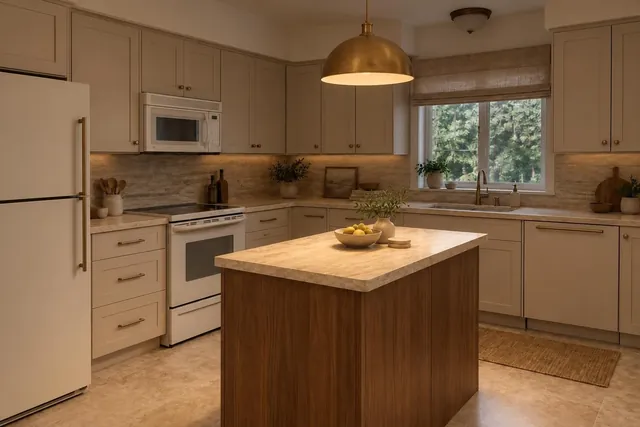
- Lighting. Under any image, the assistant lists the lights it sees (main light, accents, lamps, under-cabinet, daylight). Set each one off, dim, medium or bright, and warm, neutral or cool, and one image applies them all for 1 credit.
- Add a light fixture. Upload a photo of a real pendant or lamp, even without its dimensions. The assistant names it, estimates its size (you can correct it) and suggests where it goes, or you draw a box. It costs 2 credits.
- Several changes at once. One request covers up to 3 separate changes for 1 credit; bigger requests cost more, at most 3 credits an image, and the Generate button says so first.
Real furniture you can buy
Paste a link to a product page (a sofa, a lamp, a rug) and that exact piece goes into the next image, from its photo, for 2 credits. Or press “Find real products” under any image: the assistant looks for each main piece at retailers that sell in your country and comes back with a product page, its listed price and whether it’s an exact or a close match (7 credits, refunded if nothing usable comes back). Then “Put these in the image” places the ones you keep.
Real products come with the Plus plan for homeowners and with every plan for professionals. Prices are the ones listed on the store’s page when it was read; check them before you order.
What it costs
New accounts get 5 free images with no credit card; images made before you buy anything carry a “Made with Renderlii” mark, which any purchase removes. For your own home, Basic is US$9 (CA$12) a month for 40 credits and Plus is US$19 (CA$25) for 100, with real products. Designers’ plans start at US$29 (CA$39) a month. See all prices.
Questions
Can I redesign my room from a photo for free?
Yes. New accounts get 5 free images with no credit card. They carry a small “Made with Renderlii” mark until you buy a plan or a pack.
Will the AI keep my room’s layout?
It’s told to keep the camera, walls, windows and layout and to change the furniture, colours and finishes. Check each image; if something moved, say what to fix in the same chat.
Which interior design styles can I choose?
The assistant suggests styles that suit the room, such as Japandi, Scandinavian, modern farmhouse or warm minimal, and you can type any style you like. Pick several to blend them, or ask for four options to compare.
Can I change only one thing, like the sofa or the wall colour?
Yes. Say it in the chat (“only change the sofa”), or draw a box with “Edit one area”: only what’s inside the box changes.
Can I buy the furniture in the picture?
With “Find real products” (Plus and professional plans), each main piece is matched to a product page at a retailer in your country, with its listed price. Or paste a link to a product you already like and it goes into the image.
Can I use it on a photo for a real estate listing?
Yes, but listing photos follow stricter rules: the room has to stay truthful, and each edited photo comes with a disclosure label. See virtual staging.
Are my photos used to train AI?
No. Uploads and images are never used to train models, and deleting a project or a chat deletes its files.