How a room makeover from a photo works
- Take a photo of the roomFrom a corner, in daylight, with your phone. JPG, PNG, WebP or HEIC up to 20 MB, from a phone or a computer; there’s nothing to install.
- Say what you wantPick a style, such as Scandinavian, Japandi, warm minimal, mid-century, coastal or modern farmhouse, or write it in your own words. Say what stays: the windows, the fireplace, the kitchen cabinets.
- Compare a few looksGet one image, or four different looks of the same room side by side, at the cost of one image each.
- Keep goingAsk for “warmer”, “lighter floors” or “no rug” and the next image carries on from the one you picked.
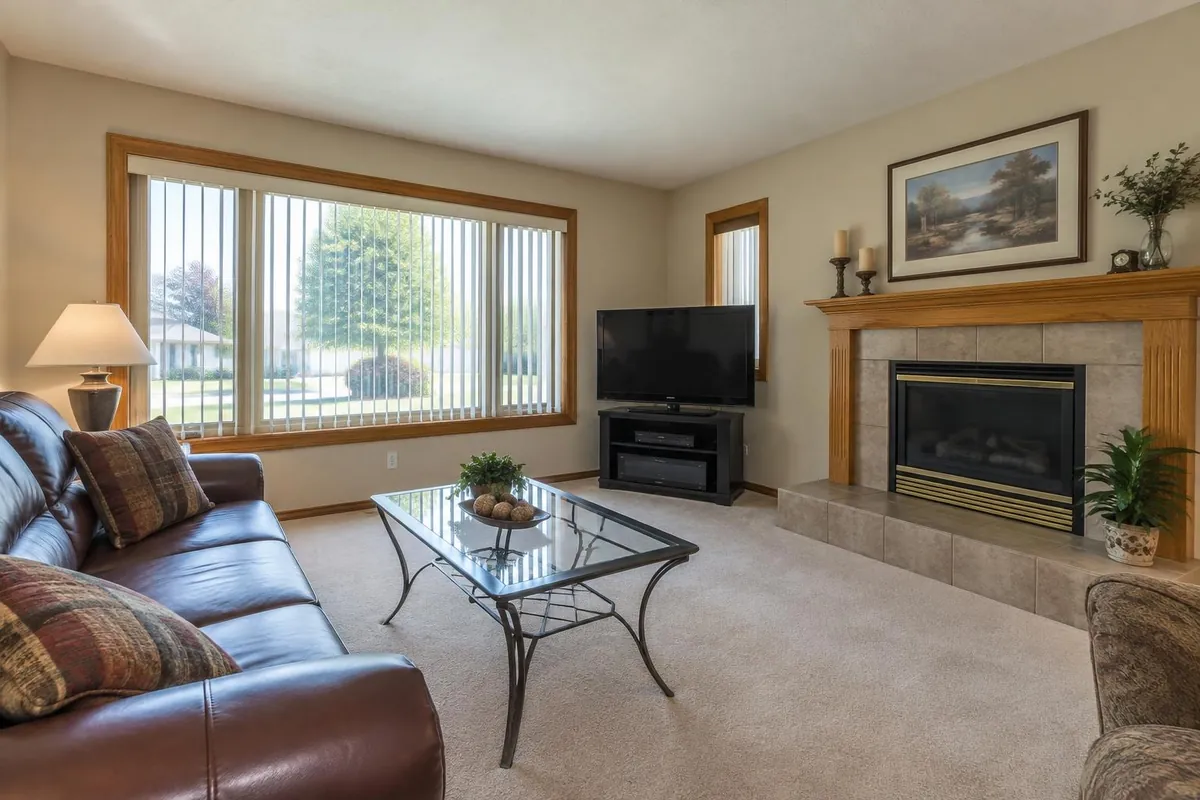
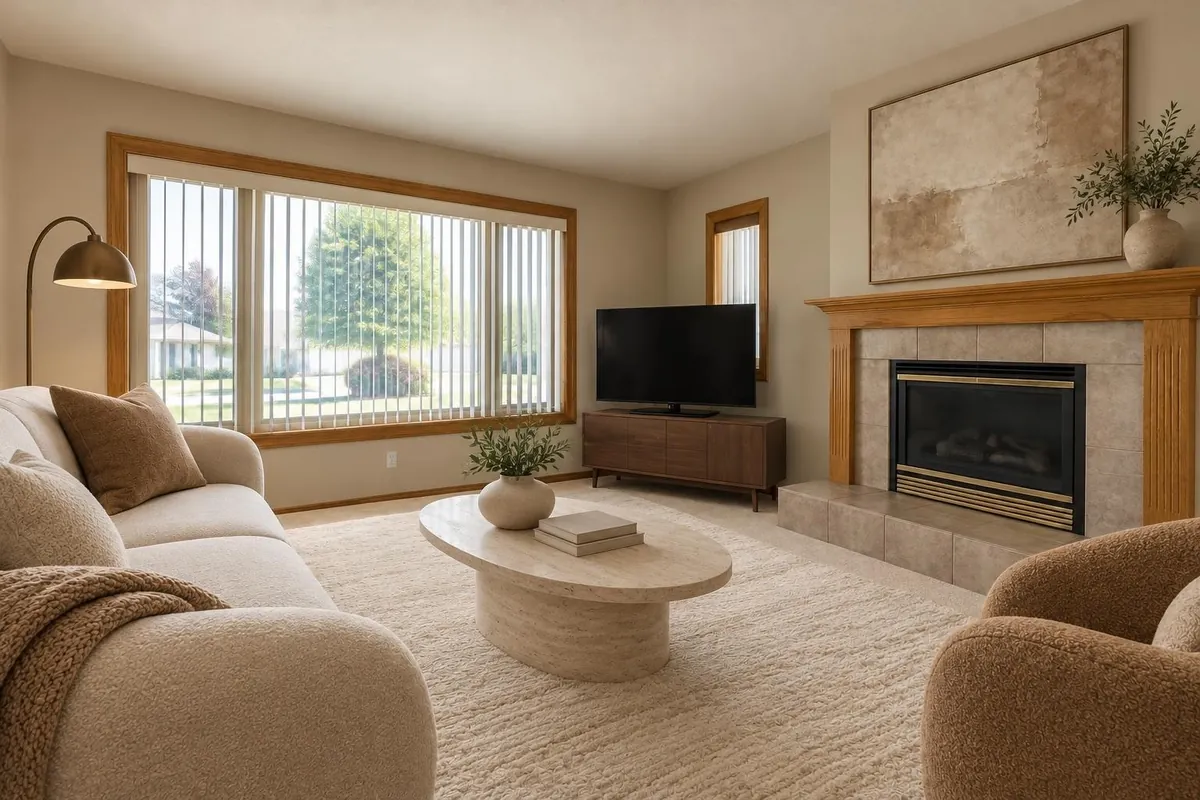
Try the renovation on your real room
- Walls: paint every wall, or one feature wall, in the colour you describe; or try wallpaper or tile.
- Kitchen and bathroom: a new backsplash or shower surround, new cabinet colours, new counters, described in words.
- Ceilings: see the room with a flat, vaulted, sloped, tray or coffered ceiling.
- Lighting: set each light in the photo (ceiling light, lamps, under-cabinet lights, daylight) brighter or dimmer, warmer or cooler, in one edit.
- A light fixture you’re considering: upload its photo from the store’s site; its size is estimated, and it goes where you say, for 2 credits.
- One thing only: draw a box around the sofa or the floor and say what it should become. Only the inside of the box changes.
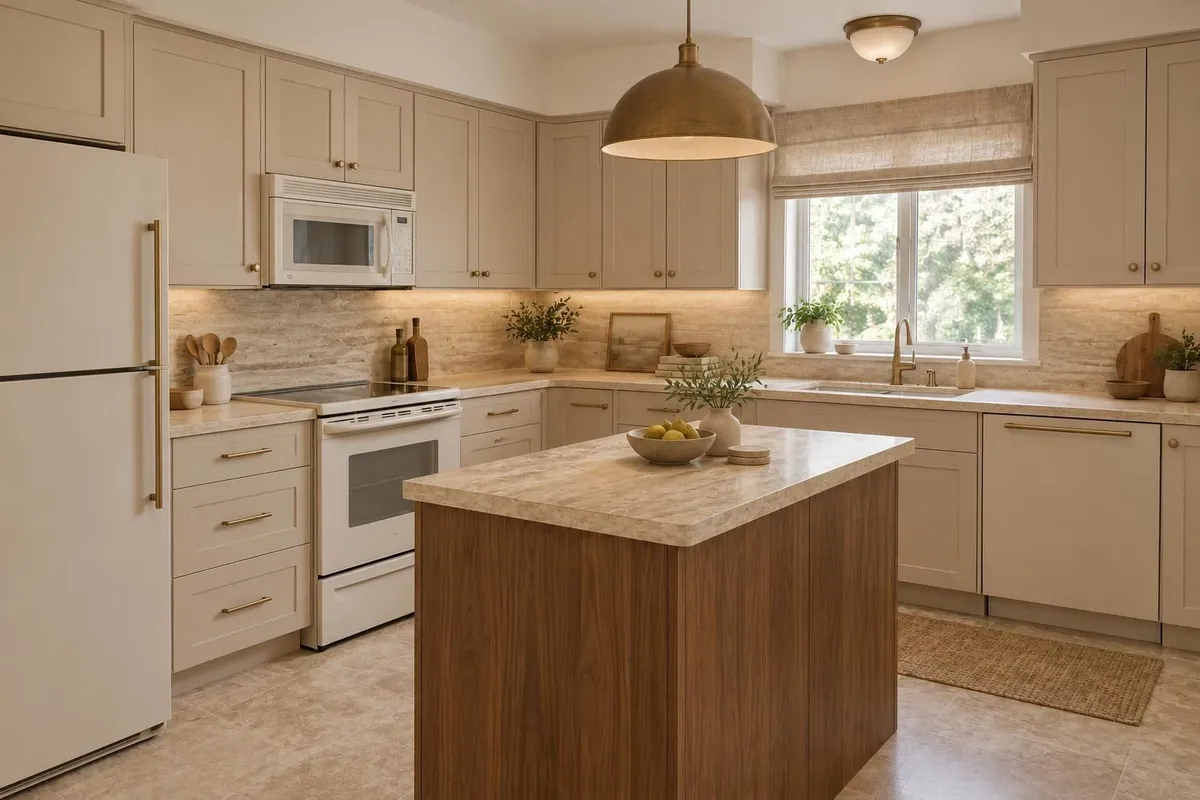
Plan the whole home, room by room
A home project holds every room, grouped by floor, each with its own images, items and budget. The home adds it all up against your total budget, by room and by category, with a contingency and an estimated tax for your province in Canada. Each item has a status, from idea to chosen to bought, so you can see what’s left.
If you have a floor plan, as a PDF, a DXF from your architect or a photo of the drawing, Renderlii reads the room sizes, doors and windows from it and builds a furnished 3D room you can walk around in your browser. Reading room sizes from a floor plan is on every paid plan.
Shop the look and know how much to buy
- Real products: “Find real products” looks for a real product for each main piece in the image at retailers that sell in your country, such as IKEA, Structube, EQ3, Article and Simons in Canada, or IKEA, Article, West Elm, CB2 and Wayfair in the US, each linked to its page with its listed price.
- Products you found yourself: paste a link to a product page and it’s read and placed in the next image, so you see that sofa in your room.
- Material take-off: how much flooring, paint, tile, wallpaper and trim to buy for a room, with a waste allowance, and links to search Home Depot and RONA in Canada, or Home Depot and Lowe’s in the US. For a photo room you type the room’s size, since a photo has no measurements.
Real products, pasted product links and the material take-off are on the Plus plan. Prices come from each store’s page when they were checked; confirm them before you order.
What an AI makeover is and isn’t
The images show an idea of your room, not a construction drawing. They’re made to keep the room’s shape, windows and camera angle, but check what matters before you act on it: a wall you want removed, a window you want moved, or whether a vaulted ceiling is possible in your house is a question for a contractor, an architect or an engineer.
Your photos and images are never used to train AI models, and deleting a project deletes its files.
What it costs
| Plan | Monthly | Billed yearly | Credits | Seats |
|---|---|---|---|---|
| Basic | US$9 · CA$12 | US$84 · CA$120 a year, that is US$7 · CA$10 a month | 40 a month | 1 |
| Plus | US$19 · CA$25 | US$180 · CA$240 a year, that is US$15 · CA$20 a month | 100 a month | 1 |
New accounts get 5 free images with no credit card; images made before you buy anything carry a “Made with Renderlii” mark. Basic is US$9 (CA$12) a month for 40 images, with room sizes read from your floor plan. Plus is US$19 (CA$25) a month for 100, and adds real products and the material take-off. Each image uses 1 credit, and failed images are refunded. Billing yearly saves 20%. See all prices.
Questions
Can I redesign my room with AI from just a photo?
Yes. One photo of the room is enough. Say what should stay, pick a style or describe what you want, and you get the same room redesigned, usually in under a minute.
Is there a free AI interior design app?
You can start free: new accounts get 5 images with no credit card. After that, Basic is US$9 (CA$12) a month for 40 images.
Can I see my room renovated before renovating?
Yes. Try paint, wallpaper, tile, a backsplash, a different ceiling or new lighting on a photo of your real room, and compare four looks side by side. It’s an idea of the result, so check structural changes with a contractor.
Will it keep my windows and layout?
It’s told to keep the room’s shape, windows and camera angle, and anything you say should stay. If something moved, say what to fix, or box that area and redo only it.
Can I buy the furniture I see in the image?
On the Plus plan, “Find real products” finds a real product for each main piece at stores that sell in your country, with links and prices. On Plus you can also paste a link to a product you like and see it in your room.
Do I need to install an app?
No. It runs in your browser on a phone or a computer, in English or French, priced in CAD or USD.
Are my photos private?
Your photos and images are never used to train AI models, and deleting a project deletes its files.