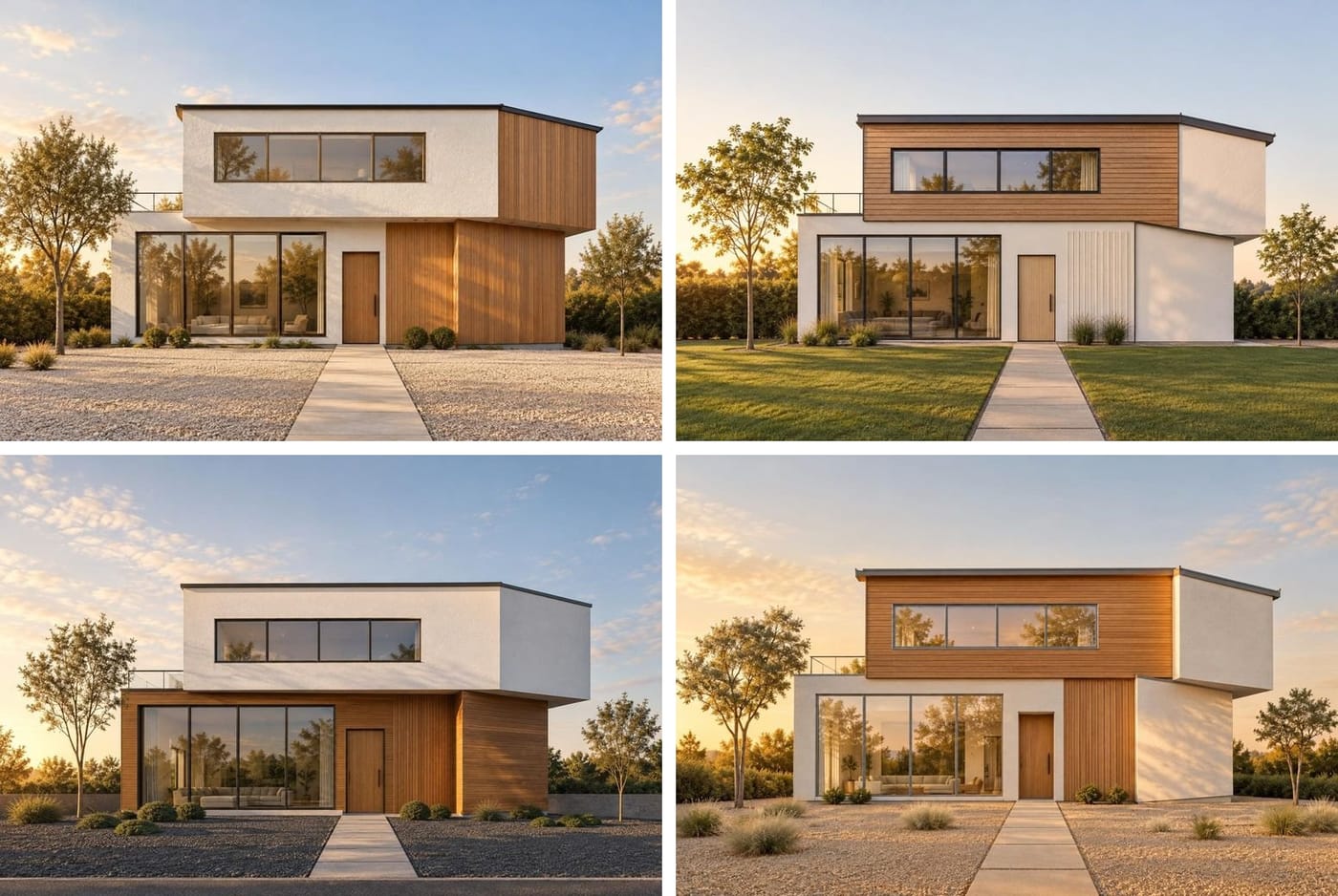
One sketch, four directions
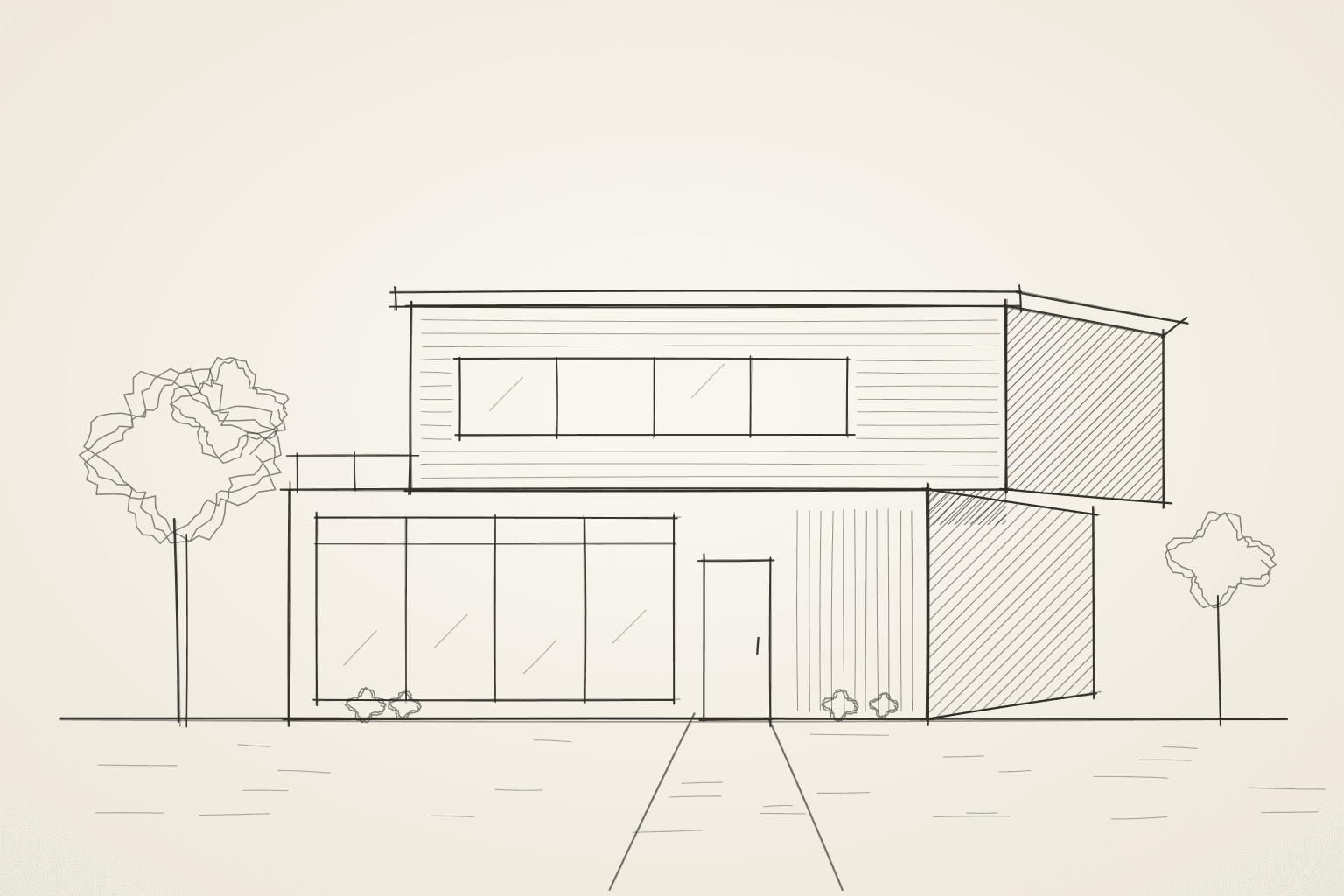
No prompts to learn
Writing prompts for image models is a skill of its own. Renderlii skips it: the assistant looks at your image, says what it sees, and offers a few choices to tap, such as raw concrete or white oak, blue hour or golden hour. Press Generate and it writes the prompt. You can always type exactly what you want instead.
Four options, one camera
Ask for four options and you get four directions for the same view, at 1 credit each, to show the client side by side. Pick one and keep going: follow-ups like “make it warmer” or “try Japandi” carry on from the image you picked.
Change one thing with “Edit one area”
Draw a box around the sofa, the cabinets or the siding and say what it should become. Only the inside of the box changes; everything outside it stays exactly as it was, pixel for pixel.
A reveal video for the client
Any render can become a 6-second clip that wipes from your original to the render with a slow push-in. It’s made in your browser, costs nothing, and downloads as MP4 or WebM depending on the browser.
What you can upload
- Hand sketches and marker drawings, photographed or scanned.
- Screenshots or exports from SketchUp, Revit, Rhino, ArchiCAD, Blender or any other 3D software, including untextured clay views.
- Floor plans as images, PDFs or DXF files.
- Photos of interiors and exteriors to restyle. Listing photos get the honesty check and a disclosure pack.
- JPG, PNG, WebP or HEIC up to 20 MB.
What it costs
Each image uses 1 credit (2 with real products placed in it), and messages to the assistant are free up to a monthly allowance of 3 for every credit your plan gives you. New accounts get 5 free renders with no credit card; renders made before you buy anything carry a “Made with Renderlii” mark and a faint repeated Renderlii pattern, which any purchase removes. Designer plans start at US$29 (CA$39) a month for 100 credits. See all prices.
Questions
Does it keep my design?
It’s told to keep the composition, proportions and window positions of your sketch or model, and to change materials, light and finish. Check each render; if something moved, say what to fix in the same chat.
Which 3D programs does it work with?
Any of them. Upload a screenshot or an image export of the view you want rendered.
Can I use the renders commercially?
Paid plans include a commercial licence with no watermark, for client presentations, listings and print.
How long does a render take?
Usually under a minute. Four options are made at the same time.
Is my work used to train AI?
No. Uploads and renders are never used to train models, and deleting a project deletes its files.