What you can do to a listing photo
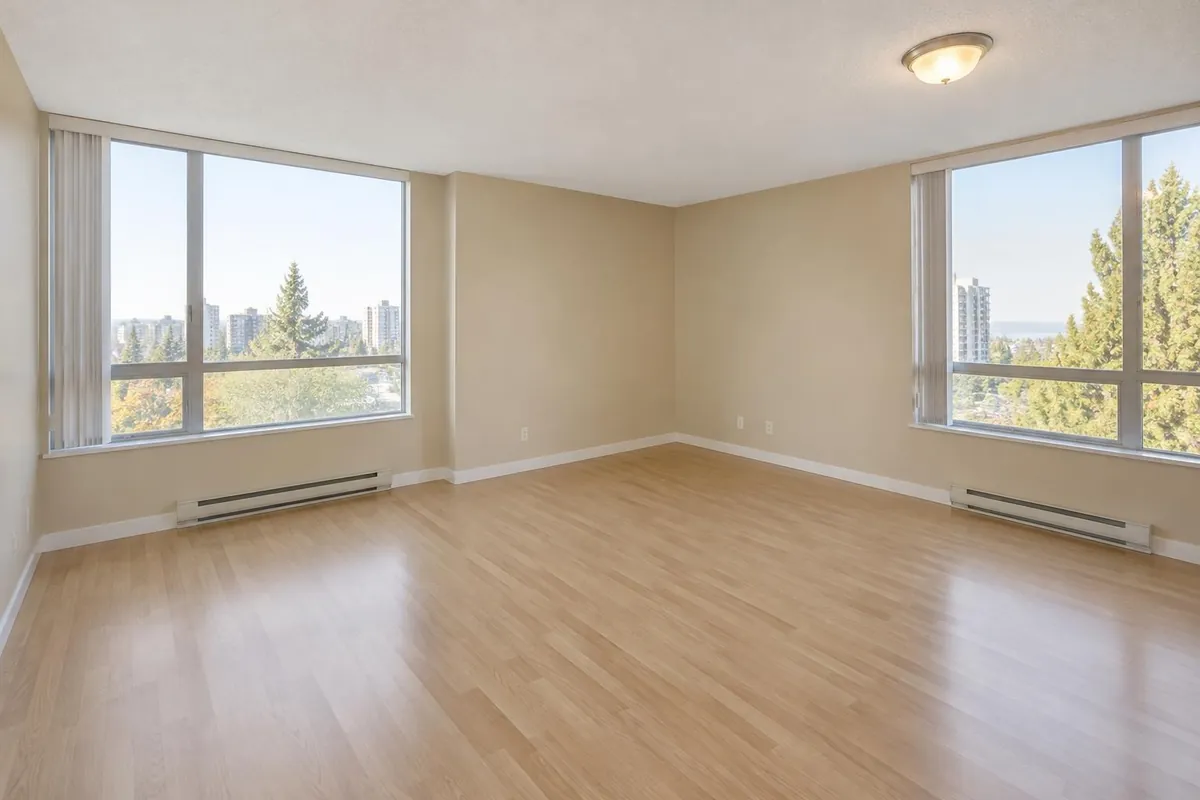
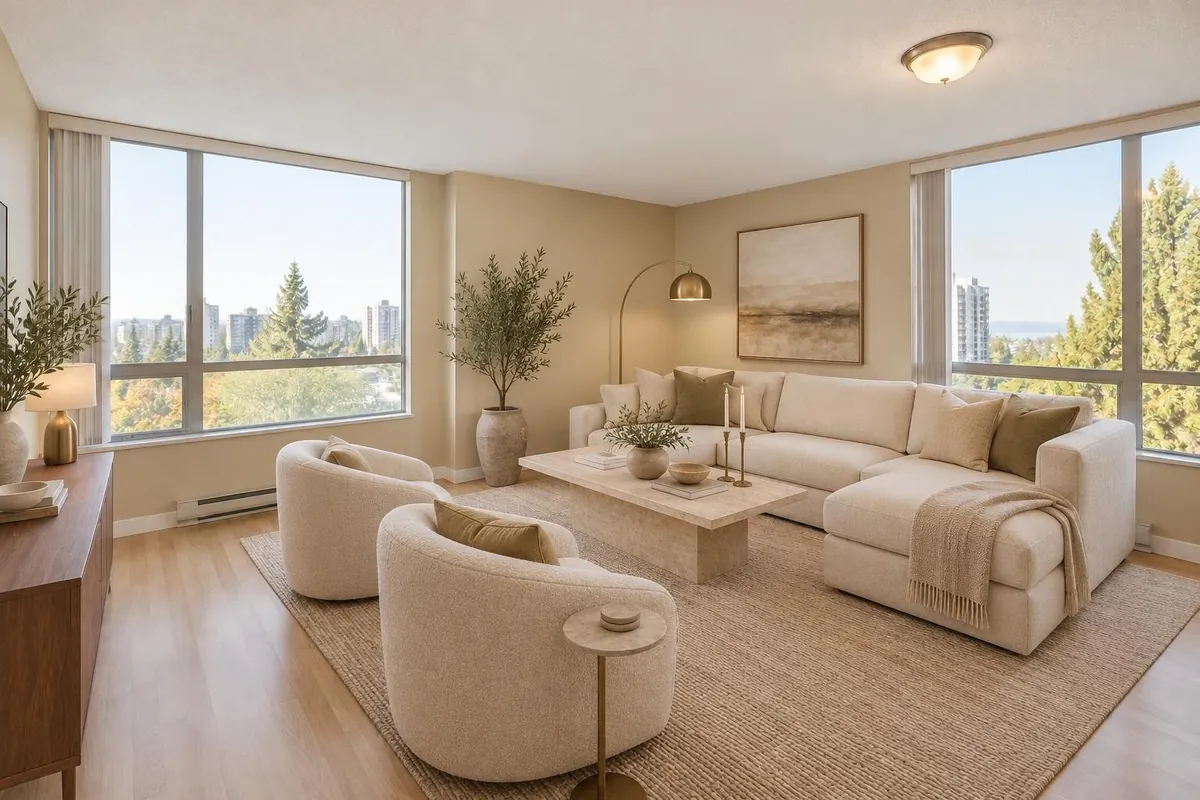
- Virtual staging: furnish an empty or half-empty room in a style buyers expect, such as Scandinavian, warm minimal, Japandi, mid-century, coastal or modern farmhouse. More on virtual staging.
- Decluttering: remove personal items, boxes and mess, and keep the furniture you choose.
- Virtual twilight: turn a daytime exterior into blue hour with warm light in the windows. More on virtual twilight.
- Custom edits: describe a furniture or décor change in your own words, or draw a box around one area and say what it should become.
- Lighting: set the lights already in the photo brighter or dimmer, warmer or cooler. Listing photos never get new fixtures added.
A whole listing at once
- Add every photoUpload the listing’s photos together: JPG, PNG, WebP or HEIC, up to 20 MB each, from a phone or a computer.
- Label and order themMark each photo’s room, “Sort by room” puts the front of the house first, then pick the cover and move photos up or down.
- Edit the ones that need itStage, declutter, twilight or a custom edit on any photo; the rest stay as shot.
- Download for the MLSChoose your board and the label language, and download every photo in order as a .zip (01-front.jpg, 02-living-edited.jpg…). You also get one disclosure for your remarks naming which photos were edited and how, and the link to the listing’s page of originals.
MLS-ready, with the disclosure done
- A label on every edited photo: “Virtually staged”, “Image modifiée virtuellement” or both, with a short link to the original. Twilight and decluttered photos get their own wording, such as “Digitally altered · Twilight”. The MLS download carries no logo.
- The originals, kept and public: a page shows each unedited photo beside its edited version, in listing order, to link in the listing and send to the seller or broker.
- Remarks wording with templates for REALTOR.ca, Centris, TRREB, California (CRMLS), Wisconsin (Metro MLS) and general US use.
- Edits that could mislead are blocked: requests to change walls, windows, floors or the view, or to hide defects such as cracks or water stains, are refused in listing mode.
Rules differ by board and by state and keep changing. Read the disclosure rules guide and confirm the wording with your broker of record.
For teams and brokerages
The Team plan gives 5 people one shared pool of 200 photo edits a month, renders at a higher quality tier with a closer check, and puts your brokerage’s logo on the disclosure labels and reveal videos the team makes. The Team page shows each person’s credits and edits. Larger brokerages can book a demo.
What it costs
| Plan | Monthly | Billed yearly | Credits | Seats |
|---|---|---|---|---|
| 10-photo pack | US$30 · CA$40 (one-time) | — | 10, never expire | 1 |
| Agent | US$29 · CA$39 | US$276 · CA$372 a year, that is US$23 · CA$31 a month | 40 a month | 1 |
| Team | US$99 · CA$135 | US$948 · CA$1,296 a year, that is US$79 · CA$108 a month | 200 a month | 5 |
Each photo edit uses 1 credit. The 10-photo pack is US$30 (CA$40) with no subscription. The Agent plan is US$29 (CA$39) a month for 40 photos, about US$0.73 a photo, and Team is US$99 (CA$135) a month for 200. New accounts get 5 free edits with no credit card; edits made before any purchase carry a “Made with Renderlii” mark, which any purchase, a pack included, removes. Failed edits are refunded. See all prices.
Questions
What is the best virtual staging app for realtors?
Look for three things: results that keep the room as it is, a disclosure label and the original on every edited photo, and a price per photo that fits your listings. Renderlii does all three; try it with 5 free edits before deciding.
Is there a real estate photo editing app for Canada?
Renderlii is built for Canadian and US agents: English and French, CAD or USD, and disclosure templates for REALTOR.ca, Centris and TRREB as well as US boards. It runs in your browser on a phone or a computer, with nothing to install.
Are virtually staged photos allowed on the MLS?
Generally yes, when they’re disclosed and don’t misrepresent the property. Rules vary by board, so check yours in the disclosure guide and with your broker of record.
How long does it take per photo?
Usually under a minute. If something isn’t right, say what to change in the same chat.
Can I edit a whole listing at once?
Yes. A listing project holds all the photos: label rooms, pick the cover and the order, edit the ones that need it, and download the set in order as a .zip for the MLS.
Can it hide defects or change the view?
No. Changes to walls, windows, floors, the view or visible defects are blocked for listing photos, because they could mislead buyers.
Do I need a subscription?
No. The 10-photo pack is US$30 (CA$40) with no subscription. The Agent plan costs less per photo if you list every month.
A before-and-after for social media
Any edited photo comes with a before-and-after pair, and can become a 6-second reveal video that wipes from the original to the edit with a slow push-in. The video is made in your browser at no cost and downloads as MP4 or WebM, depending on the browser.